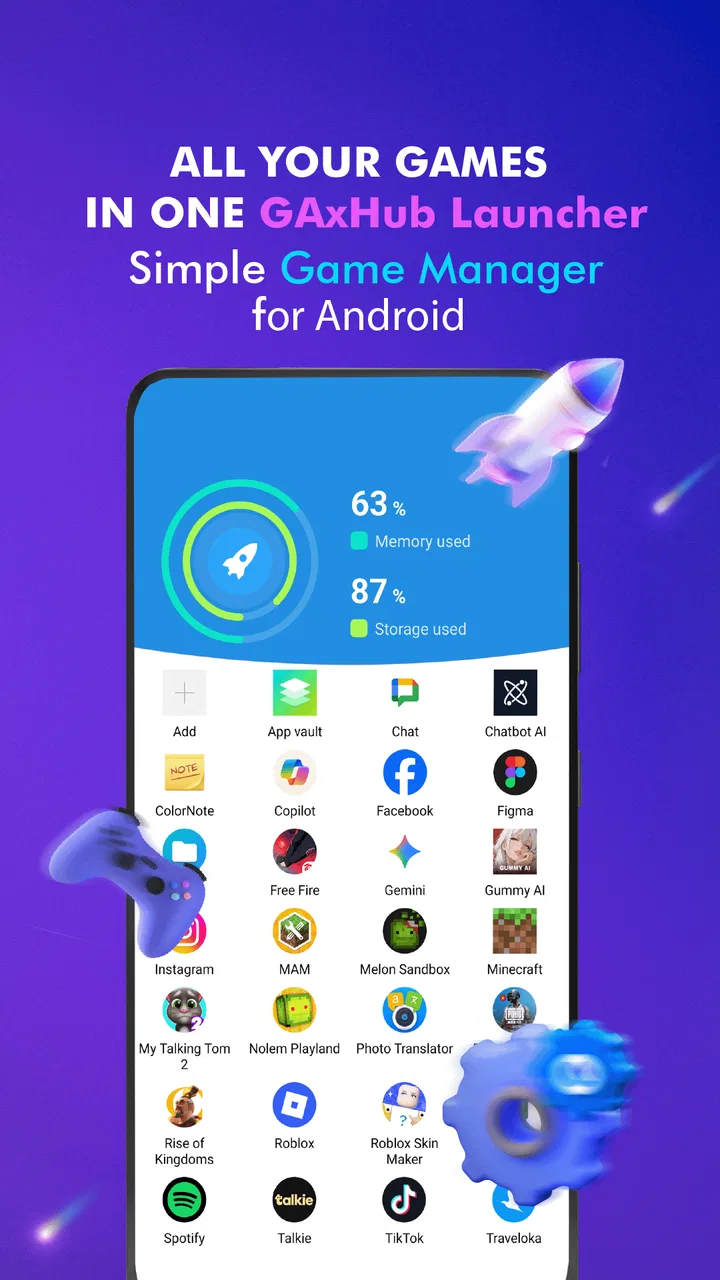
GAxHub: Gaming Hub & Launcher
- 4.2
- Rating
- 1.00M
- Installs
- Free
- Price

 Analysis by App-foxy
I tried Gaming Hub: Game Launcher as a practical way to keep games and other installed apps easier to reach, rather than treating it as a game in its own right. That distinction matters. This is a free utility from MC Tech in the Libraries & Demo category, built around app management and a gaming-focused home screen. Its store summary promises a more organized way to manage apps and improve the gaming experience, and after using it, I found the most convincing benefit to be convenience rather than dramatic performance improvement.
The app is available to a broad audience, with an Everyone age rating and support beginning with Android 5.0. It has reached over one million installs and holds a 4.2 average from around eight thousand ratings, which suggests that the basic idea is easy for many people to understand. I can see why: opening one place for games feels more purposeful than searching through a crowded app drawer every time I want to play.
How Gaming Hub fits into everyday use
The first thing I noticed is that Gaming Hub works best as a dedicated starting point. Instead of making me remember where each game sits among social apps, tools, and work shortcuts, it gives gaming its own space. That sounds simple, but it changes the small routine around playing: I can pick up the phone, open the hub, and look at the games together rather than browsing the whole device.
You May Also Like

 AccuWeather: Weather Radar
AccuWeather Review: A Quick, Clear Forecast for Everyday Decisions
For everyday plans, the best forecast is the one you can understand quickly. AccuWeather makes rain timing, radar, and local conditions easy to act on, with a few trade-offs.

 Hill Climb Racing
Why Hill Climb Racing Still Turns Crashes Into One More Run
A tiny car, a bumpy hill and one more upgrade: Hill Climb Racing keeps resurfacing because its simple chaos makes every near-miss feel personal.

 AliExpress - Shopping App
AliExpress Makes Global Shopping Feel Personal, but Shoppers Bear the Risk
AliExpress turns a global marketplace into a pocket-sized discovery engine. Its reach is useful, its shopping loop compelling, and its trade-offs easy to miss.

 Lords Mobile: Kingdom Wars
Lords Mobile Is a Kingdom-Building Routine, Not a Quick Match
A case-by-case verdict on the building, battles, device demands, and social commitments that make Lords Mobile rewarding for some players and exhausting for others.

 PDF Scanner app - TapScanner
TapScanner Makes Paperwork Easier to Capture, Check, and Share
TapScanner makes scanning with a phone feel less like a rescue operation and more like a dependable step in getting work done. Its capture tools are useful, though not flawless.

 Block Blast!
 Shows How Much a Puzzle Game Can Leave Out
A quiet grid game shows why puzzle players increasingly value instant clarity, repeatable skill and low-pressure play—and where the genre still needs to catch up.
More From Our News Desk
View All News


I would describe the app as a lightweight launcher and organizer, not as a replacement for the phone’s operating system launcher. That makes it useful for someone who wants a separate gaming shelf without rebuilding the entire home screen. It also means expectations should stay realistic. A launcher can improve access and presentation, but it cannot automatically turn an entry-level phone into a powerful gaming device.
In my experience, the strongest use case is a phone shared between several activities. If I use the same device for messages, work, streaming, banking, and games, the gaming area can otherwise feel scattered. A dedicated hub creates a clear boundary. When I am finished playing, I can leave it and return to the normal phone layout instead of mixing every shortcut into one crowded arrangement.
That separation is also helpful for families. A younger user who only needs quick access to a handful of games may find a focused screen easier to understand than a full app drawer. The Everyone rating makes the app broadly approachable, although the games launched through it can still have their own age suitability and content rules. The hub does not change those individual game ratings.
A realistic routine for a busy day
Imagine having a short break during a commute or after finishing household tasks. I open the hub, scan the games I actually installed, and launch one without first passing through unrelated notifications or folders. That saves only a little time, but the reduced friction is the point. The app is most valuable in repeated small moments, not in a single spectacular feature.
There is another useful habit here: I can treat the hub as a deliberate shortlist. Rather than allowing every game on the phone to compete for attention, I would keep the titles I play regularly near the front and use the normal app list for everything else. This makes the screen more like a personal game shelf than a duplicate of the entire device.
The practical advantage is faster access and clearer separation, not guaranteed extra frames per second. That is the trade-off I would explain to a friend before recommending it. If someone expects automatic graphics optimization, lower temperatures, or a universal boost to demanding games, this is probably not the right tool to judge by those standards.
What the current release tells me
The current version is 1.3.2, while the app first appeared on August 23, 2023. Those details place it in a relatively early stage compared with long-established system launchers, but the version history also gives existing users a useful reference point: the product has moved beyond its initial release rather than remaining a one-off experiment.
I would be careful not to read the version number as proof of a particular feature set. A later version does not automatically mean that every advanced gaming function is present. What I can say from using the current build is that its identity remains centered on organizing access to apps and presenting a gaming-oriented entry point. That focus is a strength when you want simplicity, but it may feel narrow if you are looking for a full performance dashboard.
For someone who installed an earlier build, the sensible approach is to judge the update by daily reliability and by whether the hub still fits the way the phone is used. A gaming launcher is successful when it gets out of the way. If the current version opens cleanly, keeps the game list understandable, and avoids creating another layer of confusion, that matters more than a long list of decorative changes.
New users should also remember that the app’s usefulness depends on the contents of the phone. A device with two regularly played games may not gain much from a separate hub. A device with many titles, emulators, casual games, and occasional downloads has more to gain because organization becomes a real problem. The same application can therefore feel unnecessary on one phone and genuinely convenient on another.
How existing users may notice the evolution
If you have already been using Gaming Hub, the biggest effect of staying current is likely continuity with the app’s current direction rather than a complete change in how you play. I would update when the hub is part of my daily routine, because a launcher that sits at the center of my gaming habits should not be left behind casually. At the same time, I would avoid assuming that every update will transform the experience.
Existing users should pay attention to practical behavior after updating: whether their preferred games remain easy to find, whether the layout still feels natural, and whether the app remains comfortable on an older Android device. Since Android 5.0 is the minimum operating system, the app is positioned to reach older hardware as well as newer phones. That broad compatibility is useful, but older hardware can make any extra layer feel more noticeable than it would on a recent device.
My advice is to keep the hub’s role limited and intentional. Use it for the games you launch often, rather than moving every app into a gaming space just because it is available. This prevents the organizer from becoming another cluttered catalog. It is a small workflow change, but it is one of the more effective ways to get value from this kind of app.
Where it compares well with ordinary alternatives
The usual alternatives are the phone’s default app drawer, a home-screen folder, or a manufacturer’s built-in gaming area. A folder is quicker to create, and for a small collection it may be all anyone needs. The default launcher also has the advantage of being familiar and already integrated into the phone. If I only play one or two games, I would probably use a folder instead of adding a separate utility.
Gaming Hub becomes more appealing when the goal is to make gaming feel like its own activity. A normal folder is just a group of icons. A dedicated hub gives that group a clearer purpose and can make the transition into play feel more deliberate. That difference is not technical, but it is meaningful for people who want a focused starting point.
Compared with a manufacturer’s gaming mode, the app should be viewed as a companion rather than a guaranteed substitute. Built-in gaming tools may be more deeply connected to the phone’s controls or system behavior. On the other hand, a separate app can be attractive to users who want a straightforward gaming organizer without depending on one brand’s interface. I would choose the built-in option when system-level controls matter most, and Gaming Hub when access and separation are the main priorities.
Compared with a full-featured third-party gaming dashboard, this app’s appeal is its lower learning curve. A more elaborate tool may offer more panels, controls, or monitoring options, but those extras can make the experience feel busy. Gaming Hub is better suited to someone who wants to open games from one place than to someone who wants to inspect every aspect of a session.
Small workflows that make it more useful
One workflow I recommend is a weekly cleanup. I would remove games I no longer play from the hub’s active area, while leaving them installed only if I genuinely expect to return to them. This keeps the first screen useful and prevents the organizer from turning into a second app drawer. The benefit is especially noticeable after downloading several temporary games.
A second workflow is to use the hub as a boundary for distraction. Before starting a game, I can open the dedicated gaming space instead of browsing the general home screen. That reduces the chance of getting pulled into unrelated apps. It is not a digital-wellbeing system, and I would not present it as one, but the change in entry point can make my intention clearer.
A third insight is that the app can help separate “installed” from “important.” A phone may contain games downloaded for a single trip, a child’s request, or a brief experiment. Keeping only regular choices prominent means the hub reflects actual habits rather than storage history. This is a simple organizational decision, yet it is more useful than expecting the app to decide what I value automatically.
There is also a sensible test for whether the app deserves a permanent place on the phone: compare the number of steps needed to reach a favorite game before and after adopting it. If opening the hub feels quicker and more predictable, it has earned its space. If it adds another tap or another screen without reducing clutter, the standard launcher is probably better.
Limitations I would consider before installing
The main limitation is scope. Gaming Hub can organize access, but I would not install it expecting a replacement for hardware upgrades, faster internet, better cooling, or game-specific optimization. Those factors affect actual play far more than the route used to open a title. The app may improve the surrounding routine, but it cannot remove the physical limits of a phone.
Another possible friction point is duplication. If the phone already has a polished gaming center, adding another launcher may create two places to manage the same games. That can be counterproductive. I would first check whether the built-in option already gives me the organization I want. The separate app makes more sense when the existing arrangement is confusing or when I prefer its focused approach.
Older phones deserve a little extra thought. The minimum operating system is Android 5.0, which opens the door to a wide range of devices, but compatibility alone does not guarantee that every phone will feel equally smooth. On modest hardware, I would keep the setup simple and avoid expecting the hub to behave like a demanding game itself. Its value should come from order and access, not from adding visual complexity.
Privacy-conscious users may also prefer to keep their setup minimal and use the default launcher, especially if they do not need a gaming-specific space. I would make the decision based on convenience rather than assuming that every utility is essential. Free is helpful, but free does not automatically mean worthwhile for every phone. The right question is whether the daily workflow becomes clearer.
Who should use it and who should skip it
I would recommend Gaming Hub to a player with a growing collection of Android games who wants one recognizable place to start. It is also a good fit for someone who switches between gaming and other phone tasks and dislikes mixing game icons into the main home screen. People who enjoy a simple setup will probably appreciate the focused purpose more than users who want a deep control panel.
I would be less enthusiastic for a person who rarely plays games, already has a convenient home-screen folder, or relies heavily on a manufacturer’s integrated gaming tools. In those cases, the extra layer may not solve a real problem. I would also steer away from it for anyone specifically searching for advanced performance tuning, because the app’s central value is management and access rather than a promise of transformed game performance.
The free price lowers the barrier to trying it, and the Everyone rating makes it broadly approachable. Still, I would install it with a clear test in mind: place the games I actually play in the hub, use it for several normal sessions, and decide whether it feels more direct than the existing launcher. If it does not, removing it is a reasonable conclusion rather than a failure.
What I would watch as the app develops
With MC Tech continuing the product from its August 2023 starting point to the current 1.3.2 release, I would watch for improvements that preserve the app’s straightforward identity. The most valuable direction would be better organization without turning the screen into a crowded control center. Clearer handling of a large game collection would matter more to me than decorative additions.
I would also pay attention to how the app treats older Android devices as it evolves. Supporting Android 5.0 gives it a wide potential audience, but maintaining a light, responsive experience across that range is an important challenge. If future releases add more functions, keeping the basic launch-and-organize workflow quick should remain a priority.
Another area worth watching is the boundary between a launcher and a performance tool. If the app expands into deeper gaming features, those additions should be clearly useful rather than simply making the interface busier. I would welcome practical controls that are transparent about what they do, but I would not want the original convenience of the hub buried under dashboards and technical labels.
My final view is positive but measured. Gaming Hub: Game Launcher is a sensible free app for turning a scattered collection of games into a more intentional starting point. Its 4.2 average and over one million installs show that the concept has found a substantial audience, but those figures do not change the central trade-off: organization is the product’s strongest reason to exist.
After using it, I would keep it on a phone where gaming is frequent and the default launcher feels cluttered. I would skip it on a phone where a simple folder already solves the problem. The current release from MC Tech is most convincing when treated as a focused convenience layer: useful, approachable, and easy to understand, but not a substitute for system-level gaming tools or stronger hardware. For the right user, that modest promise is exactly what makes it worth trying.
FAQs for GAxHub: Gaming Hub & Launcher
01What is Gaming Hub: Game Launcher App and how does it work?
Gaming Hub: Game Launcher App is an application designed to organize and enhance your gaming experience on mobile devices. It consolidates all your games into one convenient location and provides features like game recommendations, performance boosters, and community interactions. Users can launch games directly from the app, enabling a seamless transition between titles.
02Is Gaming Hub: Game Launcher App compatible with all devices?
Gaming Hub: Game Launcher App is designed for both Android and iOS platforms. However, compatibility may vary depending on your device’s operating system version and hardware specifications. It is recommended to check the app's requirements on the Google Play Store or Apple App Store to ensure your device supports it.
03Does Gaming Hub: Game Launcher App offer any in-app purchases or advertisements?
The app provides both free and premium features. While the basic version includes ads, users can opt for in-app purchases to access ad-free experiences and unlock additional features such as enhanced performance boosters, exclusive game lists, and custom themes. These purchases can enhance your overall gaming experience.
04How does Gaming Hub: Game Launcher App improve gaming performance?
Gaming Hub: Game Launcher App includes performance-boosting tools designed to optimize your device for gaming. These tools can free up RAM, close background apps, and adjust device settings to ensure smoother gameplay. The app aims to reduce lag and enhance frame rates, providing a better gaming experience.
05Is my personal data safe with Gaming Hub: Game Launcher App?
The app is committed to user privacy and data protection. It complies with standard data protection regulations and uses encryption to secure personal information. However, users should review the privacy policy to understand what data is collected and how it is used, ensuring informed consent before installation.
Pros
- Intuitive user interface for easy navigation.
- Supports cloud saves to sync progress.
- Customizable UI themes and layouts.
- Minimal impact on device battery life.
- Regular updates with new features.
Cons
- Ads can be intrusive during gameplay.
- Requires internet for full functionality.
- Limited offline game recommendations.
- Some features locked behind paywall.
- Occasional lag on older devices.

GAxHub: Gaming Hub & Launcher
Gallery